
BIM has four inseparable parts
| Part | What it answers | Failure mode |
|---|---|---|
| Purpose | Which decision, task or outcome will the information support? | Modeling detail that nobody needs |
| People | Who authors, checks, coordinates, approves and uses it? | Unclear responsibility and late decisions |
| Process | How is information planned, shared, reviewed and changed? | Multiple uncontrolled versions |
| Information | Which geometry, data and documents are required? | Attractive but incomplete or unusable outputs |
Common BIM uses
- Design authoring and communication
- Multidisciplinary federation, coordination and issue management
- Construction documentation, shop drawings and fabrication support
- Quantity, sequence and cost-information support
- Reality capture, existing-condition modeling and progress verification
- Visualization, walkthroughs, VR/AR and stakeholder review
- Record models, asset data and digital handover
- Operational analysis and appropriately connected digital-twin use cases
The same model should not automatically be used for every purpose. Each use needs suitable inputs, authority, information, tolerance and acceptance.
What 3D, 4D, 5D and later “dimensions” mean
3D generally refers to geometry and spatial information. 4D connects model elements to time or sequence. 5D connects them to cost or quantity structures. Industry usage of 6D, 7D and beyond is inconsistent, so specify the actual outcome—energy analysis, asset management, safety, sustainability or another need—instead of relying on the number.
LOD is not a quality score
Level labels are shortcuts. A useful scope defines the intended use, model elements, geometry, alphanumerical information, documentation, authorship, acceptance and exchange. ISO 7817-1:2024 provides concepts for specifying level of information need consistently.
Compare LOD 300, 350 and 400 ↗
Coordination is a decision workflow
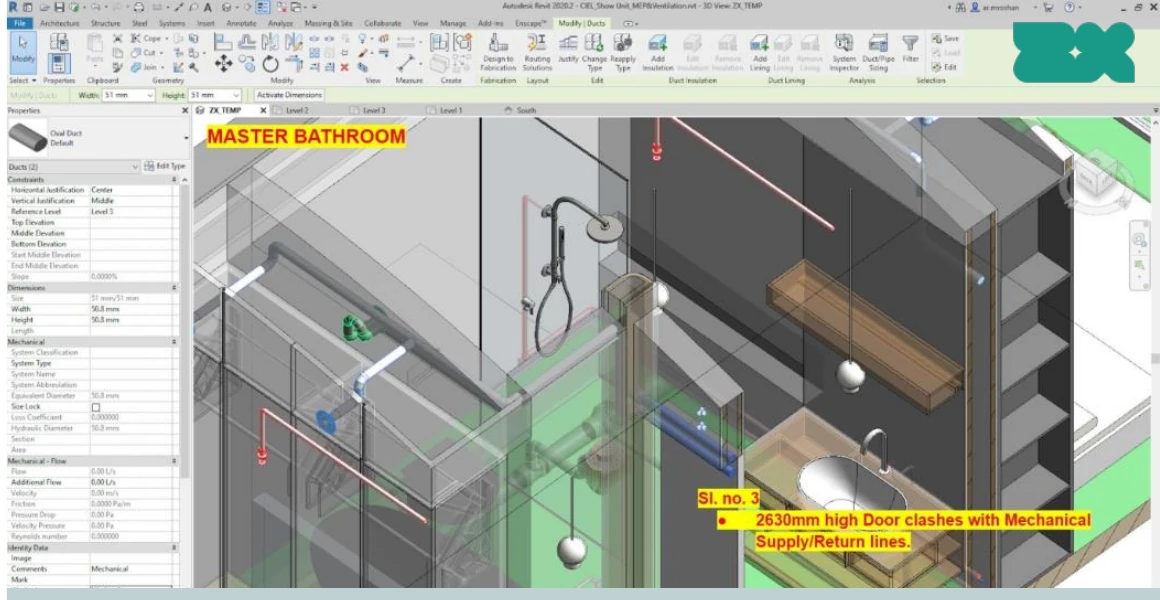
Clash detection finds rule violations; coordination decides what they mean and who acts. A controlled cycle normally includes authorized input models, federation, rule sets, issue IDs, priority, ownership, due dates, design decisions, model-based resolution and verification.
A “clash-free” promise needs boundaries: state the models, versions, rules, tolerances, exclusions, date and meaning of closure. A federated model changes as inputs change.
CDE and information control
A common data environment controls where information is produced, reviewed, shared, published and archived. It also controls metadata, revisions, permissions and acceptance. Email can notify a team; it should not silently become the authoritative project record.
Native models, IFC and openBIM
Native files preserve application-specific authoring behavior. IFC is an open, vendor-neutral data standard for built assets, published as ISO 16739. It is a structured data schema—not merely a “save as” format. Specify the IFC version, exchange purpose, model view or requirements, included classes/properties, coordinates and validation.
Open exchange does not guarantee identical round-tripping between applications. Test the exact sender, receiver, schema and use case during mobilization.
What gets delivered?
- Native authoring models and/or approved open exchanges
- Issued drawings, schedules, details and reports
- Coordination models, issue records and closure evidence
- Quantities with measurement rules and exclusions
- Asset data, record documents and linked O&M information
- Controlled archive and acceptance records
A good first BIM brief
- State the project, stage, location and delivery route.
- State the decision or output BIM must support.
- List disciplines, model elements and source information.
- Define geometry, data, documents, coordinates and exchanges.
- Name authors, reviewers, approvers and decision owners.
- Define milestones, coordination cycles and acceptance criteria.
- Test the workflow before scaling production.
Use the BEP and PEP templates ↗