
Service 03
Revit shop drawings and LOD 400 support
Connect developed model information to the drawings, schedules and fabrication-oriented outputs your approval workflow requires.
Tell us about your project ↗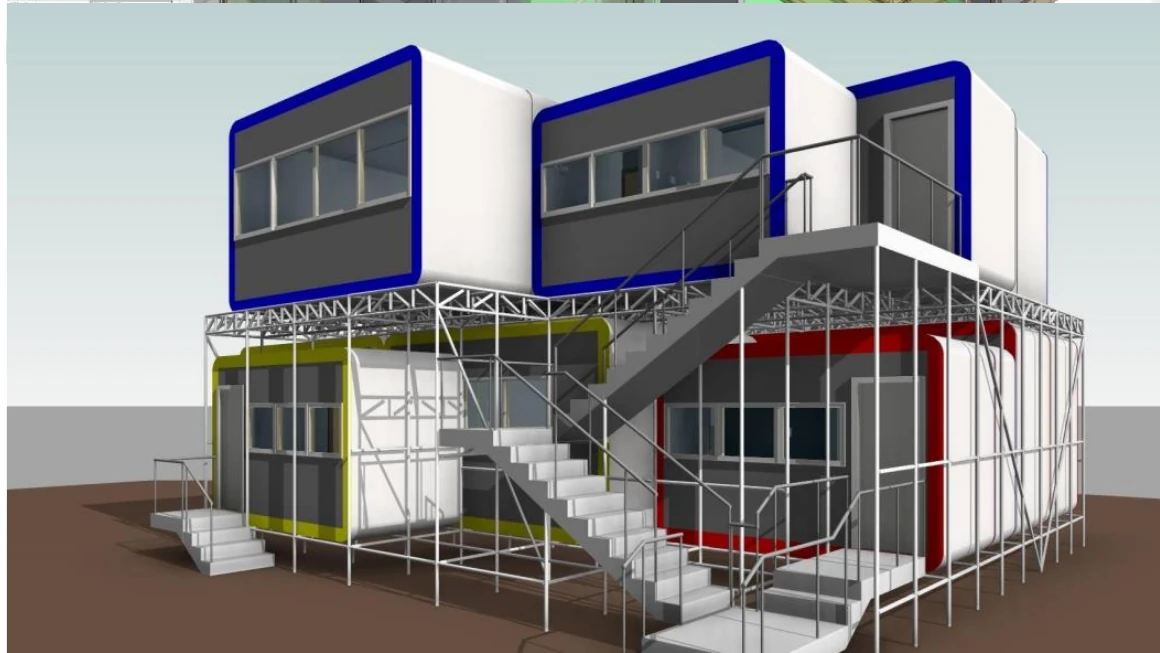 01 · Developed system model
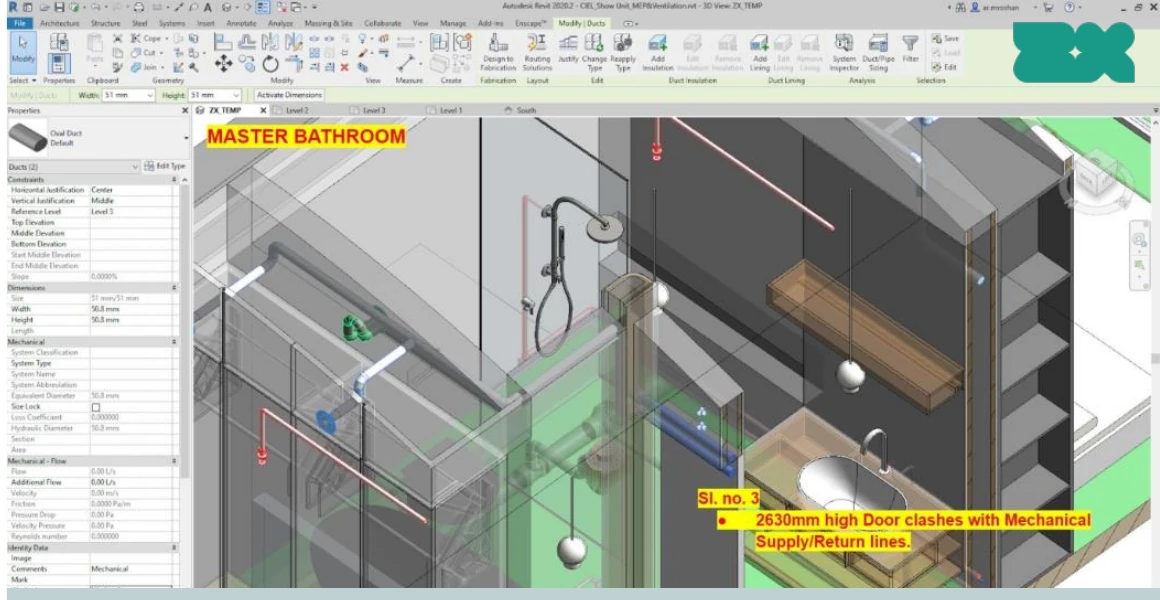 02 · Recorded interface issue
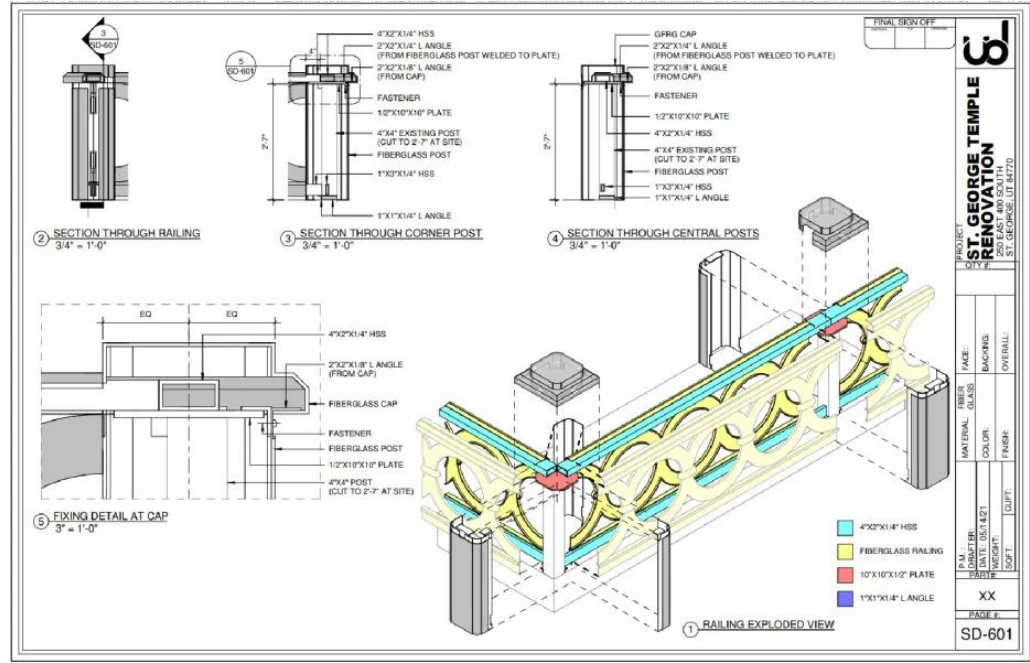 03 · Model-to-detail output
Capability
What the package can include
Shop drawing preparation
Shop ticket preparation
Model-derived schedules
CNC-oriented cut-sheet support
Change incorporation
Outputs
Define the deliverable before production begins.
We agree the files, formats, review dates and responsibilities before work starts.
- Shop drawing packages
- Shop tickets
- Schedules and quantities
- Developed Revit models
- Detail and assembly views
- Approved revision issues
Related project work
See related project work.
Browse models, drawings and working views from similar scopes.
Our project work includes airport shop drawings, institutional shop drawings and tickets in Utah, and CNC cut-sheet information for modular housing.
Best for
General contractors, specialist contractors and modular teams with defined construction deliverables and approval responsibilities.
Scope questions
Questions to answer before we start.
01Are shop drawings issued for fabrication approval?+
We prepare shop-drawing information to the agreed brief. The appointed designer, engineer, manufacturer or contractor reviews and approves it unless our contract says otherwise.
02How are post-issue changes managed?+
Revisions are incorporated from approved, traceable inputs. The agreed change channel, cut-off dates, issue status and downstream effects should be defined before production.
03Can quantities or CNC information be included?+
Yes, where the modeled elements, information requirements, format and checking responsibilities are clearly scoped.